Category: Security

  • How to Secure Your Home While You’re on Vacation

    How to Secure Your Home While You’re on Vacation

    Introduction

    There’s a particular kind of anxiety that hits a day before a trip — did I lock the balcony door, did I tell the neighbor, is the gas cylinder off. Home security while traveling isn’t just about burglars, honestly. It’s about not spending your vacation mentally running through a checklist you forgot to make. I learned this the hard way after leaving a bathroom window open on a 10-day trip — nothing happened, thankfully, but the anxiety wasn’t worth it. This guide covers what actually matters before you leave, without turning your home into a fortress you can’t afford.


    1. Don’t Announce Your Travel Plans Publicly

    This sounds obvious, but people still do it constantly. Posting vacation photos in real-time, or putting up an “away for a week” message on social media, tells more people than you’d want.

    Quick answer: For better home security while traveling, avoid posting real-time location updates on social media until after you’re back — save the photo dump for when you’ve returned home safely.

    2. Make the House Look Occupied

    An empty-looking house is an obvious target. Small things make a real difference here.

    • Use smart plugs to turn lights on/off on a schedule
    • Ask a neighbor to occasionally park in your driveway or move a vehicle
    • Leave a TV or radio on a timer for a few hours in the evening

    I’ve noticed timers are underused — they’re cheap, easy to set up, and genuinely effective at making a home look lived-in.

    3. Double-Check All Entry Points

    Not just the main door. Balconies, bathroom windows, servant quarter entrances — these get forgotten constantly. [link to related home security systems guide here]

    Direct answer: Before leaving for vacation, physically check every window and door yourself rather than relying on memory — bathroom windows and balcony doors are the most commonly forgotten entry points in Indian homes.

    4. Inform a Trusted Neighbor or Relative

    Picture a small business owner in Jaipur who travels frequently for work. She keeps a spare key with a trusted neighbor who checks on the house every few days, collects mail, and waters plants. This single habit has saved her from two potential issues — a water leak and a delivery left outside for days.

    • Share your travel dates with someone reliable nearby
    • Ask them to collect newspapers, mail, or deliveries
    • Give them your contact number for emergencies

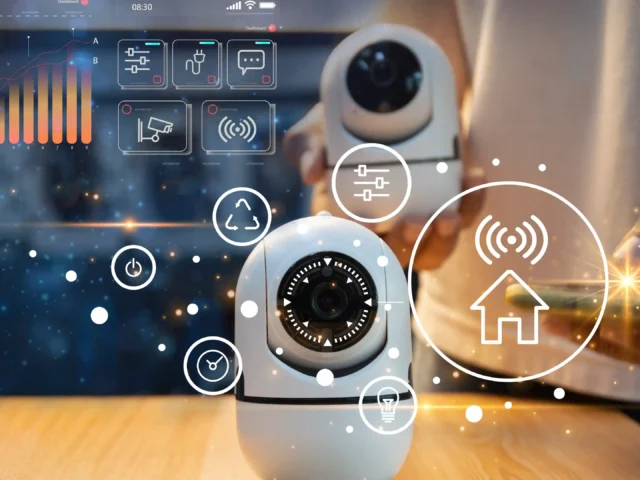
    5. Use Smart Cameras for Remote Monitoring

    If you already have cameras installed, make sure notifications are turned on before leaving. Checking in occasionally, even just once a day, adds peace of mind without being obsessive about it.

    Has this ever crossed your mind — what if something happens and you’re not around to respond quickly? A camera at least lets you see and react, even from a different city.

    6. Secure Valuables Separately

    Don’t leave cash, jewelry, or important documents in obvious places. A basic home safe is a reasonable investment, especially for longer trips.

    • Home safes start around ₹5,000-₹8,000 for basic models
    • Store important documents (passports, property papers) somewhere secure but accessible

    7. Handle Utilities Before Leaving

    Turn off the main gas supply and unplug non-essential electronics. This isn’t just about security — it’s fire prevention too.

    • Turn off gas cylinder valve completely
    • Unplug appliances not needed while away (TVs, chargers, non-essential devices)
    • Set the fridge to vacation mode if it has one, or clean it out for longer trips

    8. Don’t Over-Advertise Security Measures Either

    This one’s a bit counterintuitive, but worth mentioning. Excessive visible security signage sometimes tips off that a home is worth targeting, or that no one’s around to respond to alarms going off. A balance of visible and discreet security tends to work better than either extreme.


    Frequently Asked Questions

    Q1: Is it safe to leave lights on the whole time I’m away? Not ideal — constant lighting can look unnatural. Smart plugs with scheduled on/off timing look more realistic than lights left on continuously.

    Q2: Should I stop mail and newspaper delivery while traveling? Either stop delivery temporarily or have a neighbor collect it daily — accumulated mail is one of the clearest signs a home is empty.

    Q3: How far in advance should I prepare home security before a trip? A day or two before departure is enough for most checks, though setting up smart devices or cameras should be done well in advance.

    Q4: Is it worth installing a camera just for occasional travel? If you travel a few times a year, yes — the peace of mind alone often justifies the cost for most homeowners.

    Q5: Should I tell my domestic help about travel dates? Generally yes if they’re trusted and regularly employed, but be mindful of who else might learn your schedule through them.

    Q6: What’s the biggest mistake people make before traveling? Forgetting to check all entry points, not just the main door — balconies and bathroom windows are commonly overlooked.


    Conclusion

    Good home security while traveling isn’t about expensive gadgets — it’s about a short, consistent checklist you actually follow every time you leave. Check entry points, inform someone you trust, and make the house look occupied rather than empty. Run through this list before your next trip, and you’ll spend less time worrying and more time actually enjoying the vacation.


    Suggested Image Alt Text:

    1. “Homeowner checking window locks before leaving for vacation”
    2. “Smart plug controlling home lights on a timer schedule”
    3. “Neighbor collecting mail from an empty house during travel”
  • Best Smart Home Security Systems for First-Time Buyers

    Best Smart Home Security Systems for First-Time Buyers

    Introduction

    Buying your first security system is more confusing than it should be. There are cameras, sensors, alarms, apps, subscriptions — and every brand claims to be the one you need. When friends ask me about the best smart home security systems for beginners, I usually tell them to ignore the marketing first and figure out what they’re actually trying to protect against. A ground-floor apartment needs different coverage than an independent house with a garden. This guide breaks it down simply, without pushing you toward buying everything at once.


    1. Figure Out What You’re Actually Protecting

    Before comparing products, be honest about your risk. Are you worried about break-ins, package theft, or just want to see who’s at the door? These need different setups.

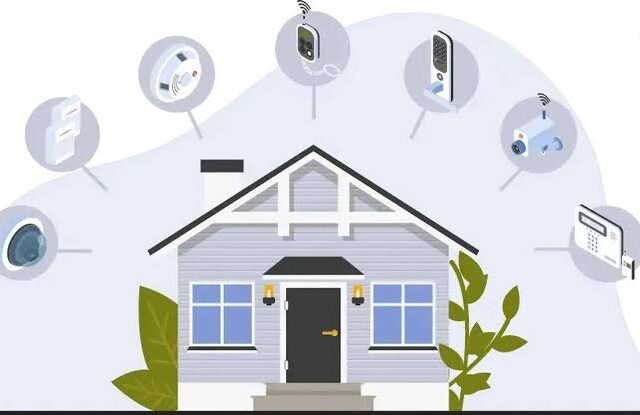
    Quick answer: The best smart home security systems for beginners typically combine a video doorbell, one or two indoor/outdoor cameras, and door/window sensors — covering entry points without overspending on features you won’t use.

    2. Start With a Video Doorbell

    This is usually the single most useful device for first-time buyers. It covers your main entry point, alerts you to visitors, and doubles as a deterrent.

    I’ve noticed most break-in attempts happen through the front door anyway, so this one device covers a lot of risk for a relatively small cost — usually ₹5,000-₹15,000 depending on features.

    3. Add Indoor and Outdoor Cameras Strategically

    You don’t need cameras in every room. Focus on entry points and common areas first.

    • Front entrance: highest priority, covers deliveries and visitors
    • Backyard or balcony: important if there’s outdoor access
    • Living room: optional, useful mainly for monitoring while away

    Direct answer: For first-time buyers, one outdoor camera at the main entrance and one indoor camera covering common areas is usually enough — expanding coverage later is easy once you know what you actually need.

    4. Door and Window Sensors

    These are cheap and often overlooked. A sensor alerts you the moment a door or window opens unexpectedly — useful even when you’re just in another room and don’t hear it.

    Picture a small business owner in Jaipur who runs deliveries out of a home office. Door sensors let her know instantly when someone enters the storage room, even from the next floor.

    5. Motion Sensors for Extra Coverage

    Motion sensors work well in hallways or entry points where cameras might miss angles. They’re inexpensive — typically ₹1,500-₹3,000 per sensor — and pair well with existing camera systems.

    6. Smart Locks Add a Layer Most People Skip

    Not essential for a starter setup, but worth considering once basics are covered. Smart locks eliminate the need for physical keys and let you grant temporary access remotely — handy for domestic help or guests. [link to related smart home upgrades guide here]

    7. Cloud Storage vs Local Storage

    This decision matters more than people realize. Cloud storage means footage survives even if a camera’s stolen or damaged, but comes with a monthly fee. Local storage (SD card) is cheaper upfront but risky if the device itself is compromised.

    Has this crossed your mind before buying? It’s worth deciding early, since switching later sometimes means buying new hardware entirely.

    8. App Integration and Ease of Use

    The best smart home security systems aren’t necessarily the ones with the most features — they’re the ones you’ll actually use consistently. If the app is confusing, most people stop checking it within weeks.

    • Look for systems with a single unified app, not separate apps per device
    • Check for offline alert options in case of internet outages
    • Read recent reviews specifically about app reliability

    Frequently Asked Questions

    Q1: What’s a good starter budget for a smart home security system? ₹10,000-₹25,000 typically covers a video doorbell, one or two cameras, and a few door sensors — a solid starting setup.

    Q2: Do I need professional installation? Most consumer smart security devices are designed for DIY installation. Complex multi-camera setups may benefit from professional help.

    Q3: Is cloud storage necessary for home security cameras? Not strictly necessary, but recommended if you want footage preserved even if the device is stolen or damaged.

    Q4: Can smart security systems work during power outages? Battery-backed devices continue working temporarily, but systems relying on Wi-Fi routers will lose connectivity unless you have backup power.

    Q5: How many cameras does a typical home need? For most homes, 2-4 cameras covering entry points and common areas is sufficient for first-time setups.

    Q6: Are subscription fees worth it for smart security systems? If cloud storage or advanced AI detection features matter to you, yes. Basic motion alerts are usually free across most systems.


    Conclusion

    Choosing the best smart home security systems doesn’t require buying every gadget available. Start with a video doorbell and one or two cameras covering your main entry points, then expand once you understand your actual usage patterns. Security should feel practical, not overwhelming — pick two devices from this guide and get started this week rather than waiting for the “perfect” complete setup.


    Suggested Image Alt Text:

    1. “Video doorbell installed at home entrance for security monitoring”
    2. “Outdoor security camera covering backyard entry point”
    3. “Smartphone app showing smart home security system alerts”